Don’t start with a shopping list
Searching for the “best Home Assistant devices” often produces enormous lists of gadgets.
That’s backwards.
The best device is the one that solves a particular problem, uses an appropriate protocol, integrates reliably with your system and suits the installation.
So rather than giving you 25 unrelated gadgets, this guide starts with the job.
For presence detection
If you want a room to remain automated while somebody sits quietly, presence detection can be more useful than conventional motion detection.
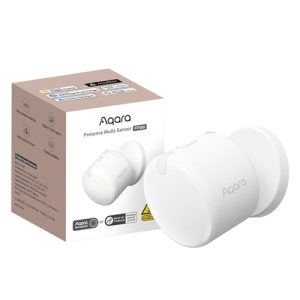
Aqara FP300
The FP300 combines PIR and 60GHz mmWave detection with ambient light, temperature and humidity sensing. Aqara specifies Zigbee and Thread connectivity and battery power from two CR2450 cells. Aqara
That combination makes it particularly interesting where flexible placement and several environmental measurements are useful.
Home Assistant currently includes the FP300 in Aqara’s Works with Home Assistant device list. Home Assistant
Consider it for: rooms where wireless placement, presence and environmental sensing are useful together.
Aqara FP1E
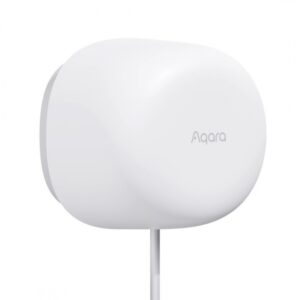
The FP1E is a powered 60GHz mmWave presence sensor using Zigbee. Aqara specifies USB power and Zigbee connectivity. Aqara
Consider it for: a dedicated presence-detection role where permanent power is available.
Aqara FP2
The FP2 takes a different approach. Aqara describes it as a powered Wi-Fi mmWave sensor with advanced zone-oriented capabilities, while the FP300 prioritises flexible wireless placement and multi-sensing. Aqara LLC
Consider it for: applications where detailed room zones and spatial presence automation matter.
We’ll compare all three in our dedicated FP300 vs FP2 vs FP1E guide.
For ordinary motion and lighting
Not every room needs mmWave.
Hallways, stairs and other areas where people are normally moving can often be automated effectively with a traditional motion sensor.
The Aqara P1 Motion Sensor is therefore still useful even though newer presence sensors exist.
The important question isn’t “which sensor is newer?”
It’s:
Do I need to detect movement, or do I need to know that somebody is still present?
Our Motion Sensor vs Presence Sensor guide handles that decision in detail.
For compact smart switching
Small installed modules are useful where existing switches or circuits need smart control without replacing every visible switch.
Hive’s catalogue includes options such as:
Shelly Smart Mini Wi-Fi Relay Gen3 Sonoff MINI R4 Extreme Sonoff MINI R4 Matter
These products aren’t interchangeable simply because they’re compact relays. Connectivity, electrical characteristics, installation requirements and integration method still need to match the job.
For mains installations, equipment must be selected for the actual electrical load and installed appropriately.
For energy monitoring
If the objective is understanding consumption rather than simply switching something, choose equipment designed to measure energy.
Hive carries devices such as:
Shelly PM Mini Gen3 Power Meter
and other Shelly monitoring/switching products.
Energy data becomes particularly useful when Home Assistant can combine it with runtime and automation state.
Instead of simply seeing that a circuit used energy, you can begin answering:
What was operating?
For how long?
Was that expected?
That is much more actionable.
For temperature and humidity
Environmental sensing is another area where the correct product depends on what you want from the room.
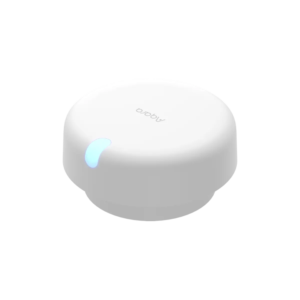
Aqara Temperature & Humidity Sensor T1
A compact sensor makes sense when you primarily need environmental measurements feeding automation.
Aqara Climate Sensor W100
A display-oriented device makes more sense where people also need to see or interact with environmental information in the room.
Sonoff AirGuard
A more information-rich environmental monitor can suit applications where additional environmental visibility is valuable.
We’ll compare these approaches in Best Temperature & Humidity Sensors for Home Assistant rather than pretending they’re identical products at different prices.
For gates and garages
Gate automation is not simply another light switch.
A suitable system needs to distinguish between:
issuing a command and knowing the gate’s state.
Hive carries equipment including the eWeLink Gate Controller and Sonoff dry-contact products that may be relevant to particular installations.
The appropriate solution depends on the gate motor/controller and the status feedback available.
Our Smart Gate Automation South Africa guide goes deeper into that architecture.
For Zigbee infrastructure
If you intend to build a substantial Zigbee network, the coordinator/bridge architecture deserves consideration before buying dozens of sensors.
Hive carries products including the Sonoff Bridge Ultra, but the correct architecture depends on whether you’re building around Home Assistant directly, a manufacturer’s ecosystem, Matter bridging or another supported approach.
Don’t buy a bridge merely because the sensor box says “Zigbee.”
Decide how the network will be managed first.
The device is only half the decision
Before buying any Home Assistant device, check:
Function — what problem does it solve?
Protocol — Wi-Fi, Zigbee, Matter/Thread or something else?
Integration — how does this specific model connect to Home Assistant?
Power — battery, USB, mains or DIN-rail installation?
Location — will the network reach the installation?
Electrical suitability — if switching a load, is the equipment appropriate for that load?
Fallback behaviour — what happens if Home Assistant or the network is unavailable?
Those questions prevent far more smart-home disappointment than a “Top 10 Devices” ranking ever will.
A sensible starter system
For somebody beginning with Home Assistant, a useful first project could be surprisingly small:
A presence or motion sensor.
One appropriate smart switching device.
A Home Assistant installation.
One automation that solves a genuine annoyance.
For example:
Presence detected + room dark → switch light on.
Then expand once that works reliably.
You don’t need to automate the entire house on Saturday afternoon.
FAQ
Do all smart devices work with Home Assistant?
No. Compatibility must be checked for the specific model and integration route.
Is Zigbee required for Home Assistant?
No. Home Assistant supports many technologies. Zigbee is simply one popular option for low-power smart-home devices.
Should I choose Wi-Fi or Zigbee devices?
It depends on the project. Wi-Fi and Zigbee have different network characteristics and requirements. See our protocol comparison.
Can Home Assistant mix different brands?
Yes, where compatible integrations exist. Multi-brand integration is one of the reasons Home Assistant is useful.
What should I buy first?
Start with one problem you genuinely want to solve. Select the sensor/control hardware around that automation rather than buying devices without a plan.
Next steps
Build your Home Assistant system one useful automation at a time.
Hive Controls can help you choose compatible smart-home hardware from Sonoff, Shelly, Aqara and other supported ecosystems.
Shop Home Assistant Devices Explore Home Assistant South Africa Discuss Your Project